Keep the queue moving.
Manage baskets, cash sales, receipts and saved quotes. Set up your own compatible printer and drawer.
 MACARIUS POINT OF SALETalk to us ↗
BUILT FOR THE SHOP FLOOR
Sales, products, receipts and quotes in one Windows till application. A licence for each PC, issued for your store.
Download for Windows ↓Windows 64-bit · Licence required · Fresh installations
Check the download checksum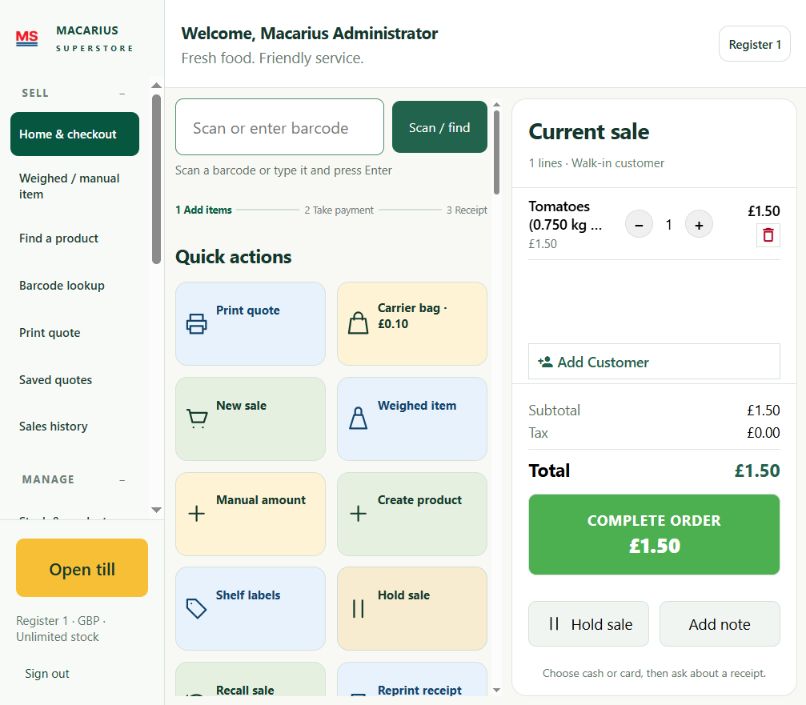
Manage baskets, cash sales, receipts and saved quotes. Set up your own compatible printer and drawer.
Start with your own products, prices and staff accounts. Each installation keeps its own store database.
Send us the activation request from your new PC. Import the signed licence we issue for that PC and store.
TAKE A LOOK INSIDE
See the actual Macarius POS interface, from building a basket to adding your next product.
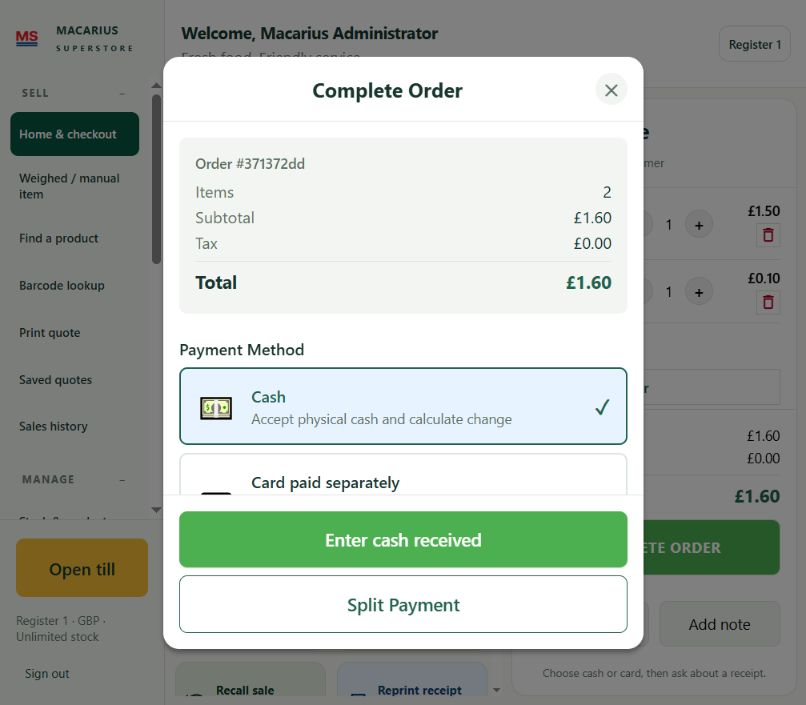
A clear order total, cash and split payment options, all within the till.
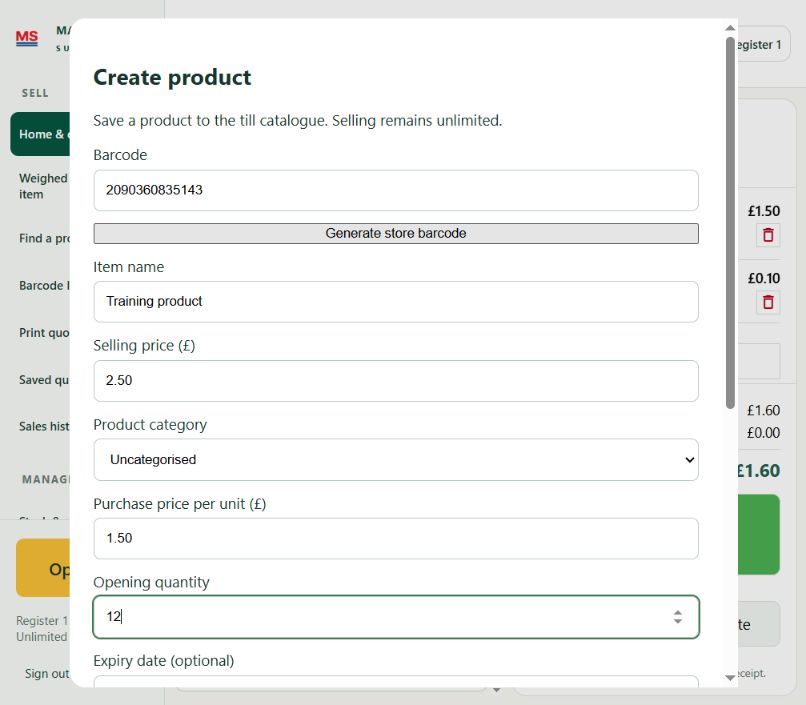
Add barcodes, selling prices and opening quantities in a straightforward form.
Screenshots show training examples. Select an image to see it in full.
FROM DOWNLOAD TO FIRST SALE
Use the installer for a fresh installation. It will not overwrite an existing till.
Choose “Save activation request” on first launch. Email that file and your store name to sales@macarius.co.uk. Licence pricing is agreed directly.
Import your licence, create your administrator, add products and review tax settings. Test your printer, scanner and drawer before trading.
OWNER DASHBOARD
The included responsive owner dashboard supports sales, stock, reports and selected management tools. Remote phone access requires a separate secure connection to your running shop PC; the download alone does not enable it.
Contact us to arrange connection and device pairing. The phone dashboard can be added to your home screen after setup.
This release is unsigned, so Windows may show an unknown-publisher notice. The checksum lets you compare the downloaded file with the published release. An Android or iPhone till installer is not included.
Payment-terminal processing requires separate configuration and provider approval. Hardware compatibility must be checked on your till.
Macarius POS includes a customised distribution of RetailPOS, licensed under Apache 2.0. Original notices are included in the installer.